Broken Link Detection: Open Source Crawlers vs. SaaS & LinkChecker Guide for Windows 11

In the realm of technical SEO, a broken link is more than a minor glitch; it’s a protocol-level failure. For users, it’s a dead end; for search engines, it’s a signal of poor site maintenance. To maintain a high-performance web architecture, identifying 404 errors requires tools that simulate search engine bot behavior: crawlers. While SaaS solutions are popular, mastering local, open-source tools like LinkChecker or Wget provides the technical sovereignty and flexibility required by web engineers and technical SEO consultants.
Why Broken Link Audits Are Critical for Technical SEO
Before selecting a tool, it is essential to understand the underlying stakes. A broken link isn’t just a missing page; it’s a leak in your data architecture.
Impact on Crawl Budget and Internal Linking
Every website has a limited crawl budget assigned by Googlebot. When you force a bot to follow a link leading to a 404 error, you waste a portion of that budget on a void. Over time, this slows down the indexing of new content.
Furthermore, internal links distribute “link equity” (topical PageRank) across your pages. A dead link breaks this chain, leading to internal authority dilution.
Technical Nuance: 404 vs. 410
Distinguishing between these two HTTP status codes is crucial for long-term strategy, as highlighted in the Google documentation on HTTP status codes:
- 404 (Not Found): The resource is missing but might return. Google will eventually re-check.
- 410 (Gone): The resource is permanently removed. This is a strong signal to immediately de-index the URL and optimize the crawl budget.
Technical Comparison: Wget, LinkChecker, and Screaming Frog
Your choice of tool depends on your site’s complexity and your automation requirements.
| Criteria | Wget | LinkChecker | Screaming Frog |
|---|---|---|---|
| Precision | Low (Raw HTTP codes) | High (HTML/CSS Analysis) | Very High (Advanced SEO) |
| JS Rendering | No | No | Yes (via Chromium) |
| Automation | Native (CLI / Scripts) | Native (CLI / Python) | Partial (Paid CLI/API) |
| Cost | Free (Open Source) | Free (Open Source) | Free < 500 URLs / Paid |
| Use Case | Quick infra checks | Precise recursive audits | Complex global SEO audits |
LinkChecker: The Open Source Standard for Link Validation
Contrary to popular belief, LinkChecker is far from obsolete. The official LinkChecker repository is actively maintained and now fully supports Python 3.10+. It stands as a powerful free alternative to Screaming Frog for those who prefer open, local workflows over closed SaaS models.
Installing LinkChecker on Windows 11
Installation is straightforward for anyone familiar with the Python environment. For a clean setup on Windows 11, using pip is the recommended method.
Once your Python environment is ready, open your terminal and run:
pip install linkcheckerTechnical Limitation: The JavaScript Gap
It is vital to note that LinkChecker, much like Wget, does not include a Chromium rendering engine. It analyzes the static HTML source code. If your internal linking is generated dynamically via client-side JavaScript (CSR), the tool will not “see” those links. For these specific cases, Screaming Frog’s JS rendering feature remains a necessary complement.
Advanced SEO Audit Automation
LinkChecker’s true strength lies in its ability to be integrated into DevOps workflows and automated pipelines.
Windows Task Scheduler for 404 Detection
On Windows 11, you can automate a weekly crawl using the schtasks utility. This allows you to transition from reactive manual audits to proactive technical health monitoring.
Data Extraction and Parsing
Once a crawl is complete, LinkChecker can export a CSV file. Here is a minimalist Python script to isolate critical errors from the output:
import pandas as pd

# Load LinkChecker report
df = pd.read_csv('audit_report.csv', sep=';')

# Filter for 404 and 410 errors
broken_links = df[df['result'].str.contains('404|410', na=False)]

if not broken_links.empty:
    print(f"Alert: {len(broken_links)} broken links detected.")
    # Integration with SMTP for email alerts is possible here
This approach filters out the “noise” of 301 redirects to focus solely on internal link breaks, ensuring local maintenance without third-party dependence.
FAQ: Mastering Technical Audits and Server Behavior
Using an open-source crawler requires a nuanced understanding of the interactions between your local machine and the target server. Below are answers to common technical challenges faced by DevOps engineers and technical SEO experts.
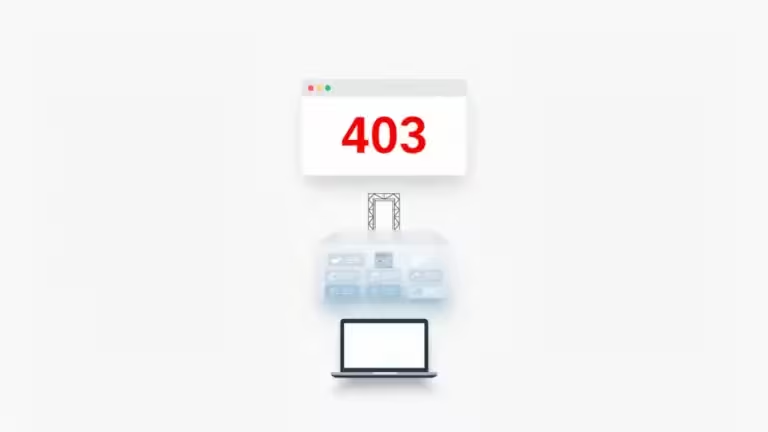
Why does my crawler receive 403 or 406 errors?
Accessing a site via an automated tool can trigger Web Application Firewalls (WAF). These systems identify LinkChecker’s default User-Agent and may reject the request to prevent malicious scraping. To audit your site effectively, you might need to configure LinkChecker to mimic a real browser or a trusted bot (like Googlebot) within your settings.
Can LinkChecker detect broken links in PDFs?
Yes, this is one of its primary advantages over simple Wget scripts. It can extract and verify links within non-HTML documents. This is crucial for enterprise sites or technical documentation platforms where Link Rot in static files often goes unnoticed.
How do I limit the crawl’s impact on server performance?
To avoid saturating bandwidth or triggering Denial of Service (DoS) alerts, use the .linkcheckerrc configuration file to limit the number of concurrent threads. A server-respectful approach is the foundation of ethical SEO audit automation.
Toward Proactive Digital Hygiene
Broken link detection should no longer be a manual chore performed only during site migrations. By leveraging tools like the GNU Wget documentation or LinkChecker’s CLI, you regain total control over your audit data.
The ultimate goal is technical sovereignty. By hosting your own audit scripts on your Windows 11 machine or private servers, you bypass the dependency on SaaS platforms that scale costs based on URL volume. Setting up proactive monitoring, combined with automated result parsing, transforms a simple technical check into a powerful lever for optimizing your internal linking.
In 2026, the ability for a developer or SEO to automate these repetitive tasks via Python is what separates artisanal management from world-class web infrastructure.
Your comments enrich our articles, so don’t hesitate to share your thoughts! Sharing on social media helps us a lot. Thank you for your support!