App ChatGPT for Windows 11: Exclusive Features, Performance Benchmarks, and Copilot Comparison (2026)
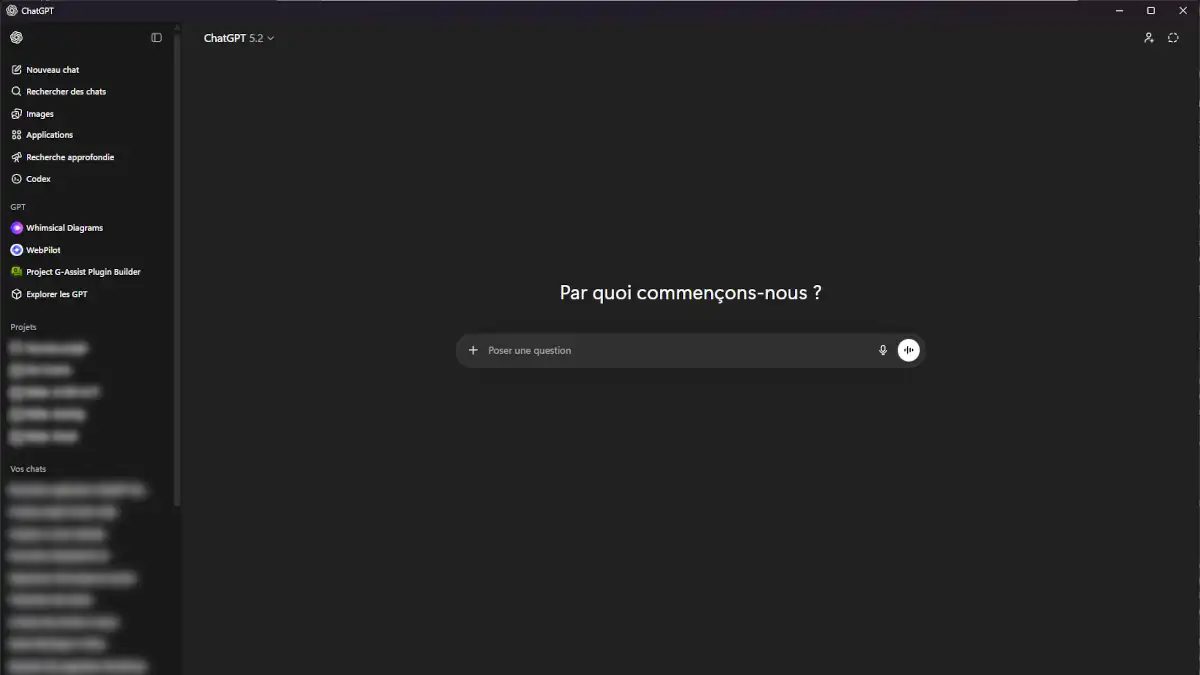
The ChatGPT Windows application has evolved far beyond a mere Electron wrapper of the web interface. In 2026, it positions itself as a specialized productivity layer designed to eliminate the friction between local workflows and LLM orchestration. Featuring a dedicated companion mode, native screen OCR, and advanced voice integration, the desktop experience offers a distinct value proposition compared to the browser.
However, deep OS integration brings significant technical trade-offs regarding resource allocation, memory management, and sandboxing. This analysis provides an expert-level breakdown of the architecture, performance bottlenecks, and strategic positioning against Microsoft Copilot.
Deployment: Installing ChatGPT on Windows 11
For enterprise-grade security and automated patch management, the official deployment route remains the Microsoft Store.
- Official Source: Microsoft Store Listing
- System Requirements: Windows 10 (Build 17763+) or Windows 11
- Architecture: Native support for x64 and ARM64 (Snapdragon X Elite optimized)
- Authentication: OpenAI SSO required
Feature availability—such as the o1-preview or advanced data analysis quotas—is tied to the user’s subscription tier (Free, Plus, Team, or Enterprise), as detailed in the OpenAI technical documentation.
Exclusive Features: Optimizing the Desktop Workflow
The application’s primary ROI (Return on Investment) lies in its ability to bypass the browser’s constraints through system-level hooks.
The Companion Window: Zero-Latency Access via Alt + Space
The Alt + Space shortcut triggers a “floating” overlay. This Companion Window is engineered to:
- Query the model without losing focus on the primary application.
- Maintain persistent visibility over IDEs or complex spreadsheets.
- Reduce cognitive switching costs during multi-step tasks.
Native Screen Capture and Contextual OCR
While the web version requires manual file uploads, the Windows app utilizes native APIs for real-time vision:
- Direct Area Selection: Instant cropping of any screen region.
- Automated Pipeline: The screenshot is piped directly to the multimodal encoder without local disk writes.
- Technical Troubleshooting: Ideal for analyzing stack traces, complex UI bugs, or non-selectable data within legacy software.
Note: Processing remains server-side. Local inference (Edge AI) is not yet implemented for vision tasks in the 2026 build.
Technical Architecture: The Electron Performance Tax
The application is built on Electron, a framework that bundles Chromium and Node.js. While this allows OpenAI to sync feature releases across platforms, it introduces specific overhead.
RAM Allocation and Resource Contention
Under standard workloads, the application consumes between 400 MB and 850 MB of RAM, scaling upward with long-context sessions. On workstations with limited resources, this creates contention with:
- Heavy browser instances (Chrome/Edge).
- Development environments (Docker, VS Code).
- GPU-accelerated creative suites.
It is critical for engineers to distinguish between API-side latency (token generation speed) and client-side lag caused by DOM saturation within the Electron renderer. If you encounter persistent degradation, consult our guide on why ChatGPT might be slow.
The Tabless Limitation: A Workflow Bottleneck
A significant regression for power users is the lack of a multi-tab interface.
- Single-Threaded View: Only one conversation can be active at a time.
- Comparison Hurdles: It is impossible to cross-reference multiple threads side-by-side within the app.
- Expert Verdict: For complex research requiring concurrent outputs, the web version—despite its higher latency—remains superior for data synthesis.
Comparative Analysis: App vs. Web vs. Copilot
| Feature | ChatGPT Windows App | Web Version (PWA) | Microsoft Copilot |
|---|---|---|---|
| Floating Overlay | Yes (Alt + Space) | No | Yes (Sidecar) |
| Native Screenshot | Yes (Direct) | Manual Upload | Yes |
| Voice Mode | Advanced (Native) | Limited | Standard |
| Multi-Tab Support | No | Yes | No |
| Office Integration | No | No | Yes (via Copilot Pro) |
| RAM Footprint | High (Electron) | Moderate | Shared (WebView2/Edge) |
| Local File Access | Manual (Dialog-based) | Manual (Upload) | Automated (M365/OneDrive) |
Data Access and Sandbox Security
The application does not have unrestricted file system access. It adheres to a strict permission model:
- It only reads files explicitly selected via the OS file picker.
- It cannot traverse directories autonomously or execute local scripts.
- Screen capture requires explicit user consent via Windows Privacy settings.
This ensures a security posture similar to a standard browser environment, minimizing the risk of unauthorized data exfiltration.
Privacy and Local Data Governance
In a corporate environment, deploying a desktop-grade LLM client requires a rigorous look at data residency and telemetry. The ChatGPT Windows app operates as a thin client: while the interface is local, the intelligence is centralized.
- Data in Transit: All interactions are encrypted via TLS. However, users should be aware that native screen captures can inadvertently include sensitive metadata or background notifications.
- Privacy Hardening: To mitigate exposure, it is vital to configure ChatGPT for maximum privacy. Disabling “Chat History & Training” within the app settings is a prerequisite for handling proprietary code or sensitive business logic.
- Local Caching: Electron apps store session data and cache in the %AppData% directory. For shared workstations, clearing this cache is essential to prevent local data leakage.
ChatGPT vs. Microsoft Copilot: Strategic Positioning
By 2026, the divergence between these two platforms has crystallized into two distinct philosophies:
- Microsoft Copilot (Systemic Integration): Built on WebView2, it functions as a feature of the OS. It excels at cross-referencing Outlook emails, Word documents, and system settings. It is an orchestrator of the Windows environment.
- ChatGPT Windows (Creative Autonomy): It remains a specialized laboratory. It offers superior flexibility for iterative prompting, advanced coding tasks, and creative workflows that require the latest OpenAI models (o1, GPT-5) before they are fully integrated into the Microsoft ecosystem.
Toward an “AI-First” Operating System
The Windows app represents a transitional phase toward ChatGPT as a future Operating System. However, in its current state, the functional delta between the app and the browser remains narrow.
Expert Analysis: At Cosmo-Edge, we integrate LLMs into high-velocity development and analysis pipelines. Despite extensive testing of the native Windows client, we found that it fails to deliver a significant productivity leap for “power users.”
The primary friction point remains the lack of tabbed navigation. In an expert workflow, the ability to maintain multiple concurrent threads for cross-referencing is non-negotiable. Furthermore, the application inherits the same DOM-rendering bottlenecks as the web version; as a conversation grows, the interface lags—a disappointing carryover for an app marketed as “native.”
For intensive, multi-threaded research, the browser-based PWA (Progressive Web App) remains the more flexible and resource-efficient choice.
FAQ
Does the app support offline inference?
No. An active internet connection is required to reach OpenAI’s inference clusters.
Can I mitigate the high RAM usage?
Aside from disabling hardware acceleration in the settings (which may stabilize older GPUs), the only way to manage memory is to avoid extremely long chat threads. When a session nears the context window limit, performance will degrade regardless of available RAM.
Is the app faster than the web version?
The input latency is lower due to the native shortcut (Alt+Space), providing a faster “time-to-query.” However, the generation latency (tokens per second) remains identical to the web version.
Your comments enrich our articles, so don’t hesitate to share your thoughts! Sharing on social media helps us a lot. Thank you for your support!