DDEV WordPress 403 Forbidden Fix: Traefik, Nginx, and Docroot Explained (2026)
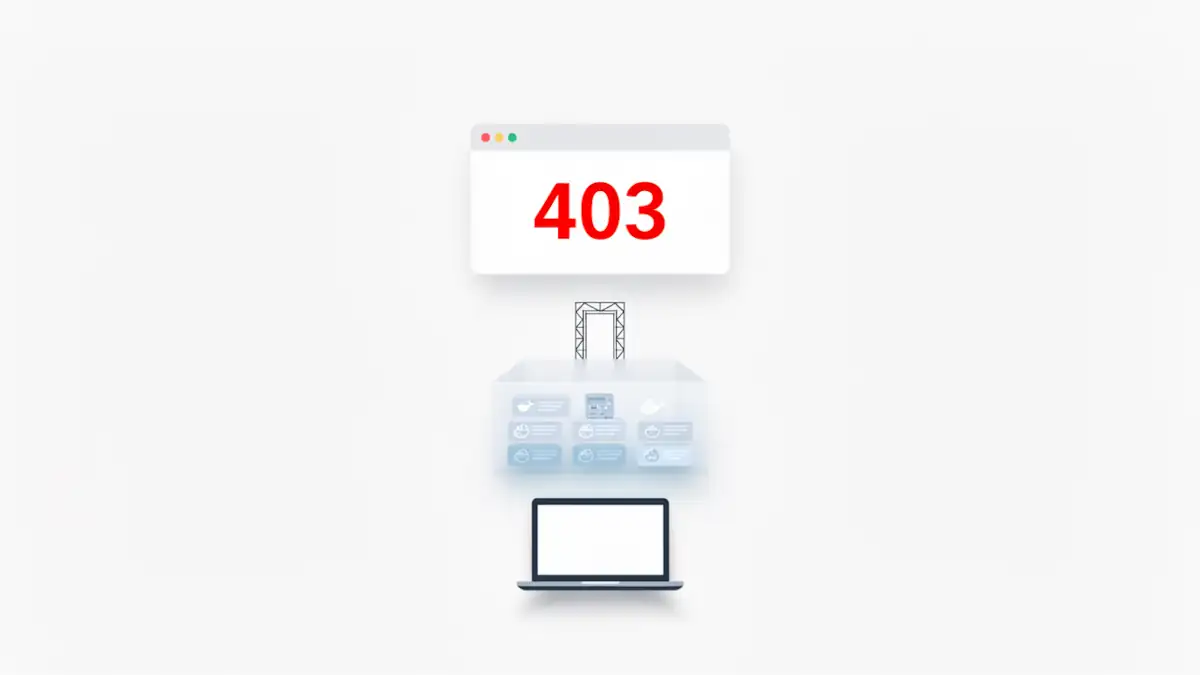
The promise of modern local development is a “zero-config” abstraction that mirrors production. DDEV is often cited as the gold standard for this, providing a Docker-based orchestration that feels like a native tool. However, even with a technically “successful” setup, the reality of infrastructure can bite back. I recently initiated a project using ddev config followed by ddev start, only to be greeted by a sterile 403 Forbidden error from Nginx.
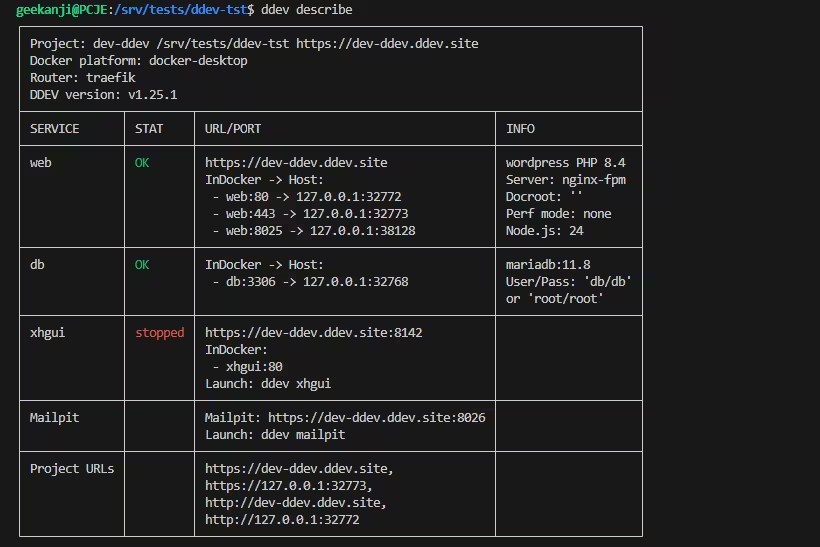
While the DDEV terminal output was green and the Traefik dashboard at port 10999 confirmed a healthy router, the application layer was dead. This discrepancy reveals a fundamental truth about container orchestration: infrastructure health does not guarantee application availability. To resolve this, we must look past the convenience of the CLI and understand the internal handshake between the reverse proxy and the web server.
Architectural hierarchy: tracing the request flow
To diagnose a 403 error in DDEV, one must map the request path. In a standard DDEV environment, the flow follows a strict hierarchy: Browser → Traefik (Router) → Web container (Nginx) → WordPress docroot.
In my case, Traefik was performing its role perfectly. As the front-end reverse proxy, it intercepted the request for the project URL and routed it to the correct backend container. The 403 was generated specifically by Nginx inside the web container, not by Traefik. Traefik routed correctly, as confirmed by its dashboard. The error occurred because the backend Nginx instance pointed to a root directory devoid of files. Even though the configuration docroot: “” correctly targeted the project root, the absence of an index.php meant Nginx had nothing to process. By default, and for security reasons, it refused to list the directory contents, triggering the 403 response.
Nginx returns a 403 Forbidden when it has the right to access a directory but is forbidden from listing its contents, usually because no index file (like *index.php`) is present. If you run ddev config without existing WordPress files, DDEV creates the environment, the “shell”, but the docroot remains empty.
“When running ddev describe, you might notice Docroot: ”. In DDEV’s syntax, this empty string is not an error; it signifies that the web server is serving files from the project root. While this is the functional standard for a basic WordPress setup, it is also the reason why the initial 403 was so silent: the container was technically ‘ready’ to serve, but the root it was pointing to contained no index file to execute.”
When a 403 is not about WordPress
While an empty directory is the primary culprit, advanced practitioners on Windows 11 and Linux must account for deeper configuration drifts. If your files are present but the 403 persists, the issue typically resides in one of the following architectural friction points:
- Incorrect docroot in .ddev/config.yaml: If your project structure uses a /public or /web folder but your configuration points to the root (docroot: “”), Nginx will fail to find the entry point.
- Wrong project type: Missing type: wordpress prevents DDEV from applying the specific Nginx rewrite rules required for the CMS.
- File permission issues: Inside the container, the www-data user must have execution rights on the directory tree.
- Volume mount misalignment: On Windows, a failure in the 9p or virtiofs mount can leave the container’s internal docroot empty despite files being visible in Windows Explorer. This is a critical point when securing WSL mirrored networking, as network mode changes can sometimes impact how Docker Desktop handles mounts.
Reproducible environment: PHP 8.4 and MariaDB 11.x
It is a common misconception that DDEV defaults to the latest cutting-edge versions. To achieve a high-performance 2026 stack, I utilized a custom configuration rather than relying on the baseline. Using the following command ensures that the environment supports the latest engine optimizations:
ddev config --project-type=wordpress --php-version=8.4 --db-image=mariadb:11.8 --docroot=""This explicit declaration forces DDEV to pull specific Docker images, bypassing the potential stability lag of default versions. It is essential for agentic workflows on Windows 11, where local LLM agents require high-performance PHP execution and modern database drivers to function without latency.
Resolving the 403: the WP-CLI orchestration
Once the infrastructure is validated, the fix involves populating the docroot and configuring the database handshake. Rather than manual downloads, leverage the internal tools to maintain environment integrity.
1. Provisioning the WordPress Core
From your project root, execute the download through the DDEV wrapper. This ensures the files inherit the correct container permissions immediately.
ddev wp core download2. Database Initialization
DDEV automatically manages the configuration via its internal include mechanism. To finalize the installation without leaving the terminal, run:
ddev wp core install --url=https://dev.ddev.site --title="Expert Stack" --admin_user=admin --admin_email=admin@example.comThis automated approach is far superior to manual setups, especially when integrating with complex local infrastructures like vLLM on Docker Compose, where environment consistency is paramount for AI-driven CMS features.
Beyond the native stack: the case for container isolation
A frequent critique from the “Mac-native” crowd is that Docker adds unnecessary virtualization overhead. While native stacks offer lower latency, they fail the test of infrastructure literacy.
DDEV’s use of Traefik documentation and Nginx containers allows a developer to simulate a cloud-native production environment. In a native stack, you share a single PHP binary. In DDEV, each project is a silo. If project A requires an obscure PHP extension, you can modify it without risking the stability of project B. This isolation is non-negotiable for DevOps engineers who prioritize CI/CD parity. Furthermore, maintaining a reliable Windows 11 and WSL2 backup strategy ensures that these isolated VHDX environments can be recovered without reconfiguring the entire host.
Sustainable infrastructure: supporting the DDEV ecosystem
Moving from monolithic stacks to a containerized, Traefik-powered architecture like DDEV is not just a technical upgrade; it is a commitment to professional-grade reproducibility. As an open-source project, DDEV thrives on community-driven development and financial support to maintain its rapid release cycle and deep integration with tools like WSL2 and OrbStack. If DDEV has become a critical component of your local orchestration or CI/CD parity, consider contributing to its sustainability. Support the project here: ddev.com/support-ddev/
Infrastructure literacy as a strategic asset
The 403 Forbidden error is rarely a “bug” in DDEV; it is a communication gap between the infrastructure layers. By understanding that Traefik is merely the gatekeeper and Nginx is the librarian, developers move from “fixing things until they work” to architecting systems that are reproducible by design.
As we move further into 2026, the value of a local environment is no longer just about writing code. It is about validating the deployment pipeline. Whether you are deciding between native or WSL2 for ML workflows or just spinning up a blog, mastering DDEV’s routing nuances ensures that the transition from local development to a production-hardened cloud environment is a matter of deployment, not a journey of troubleshooting.
Links
- DDEV documentation: https://docs.ddev.com/en/stable/
- Traefik documentation: https://doc.traefik.io/traefik/
- WP-CLI: https://wp-cli.org/
- DDEV troubleshooting: https://docs.ddev.com/en/stable/users/usage/troubleshooting/
- StackOverflow canonical thread: https://stackoverflow.com/questions/66436574/ddev-403-forbidden-on-provided-url-with-ddev-start-or-ddev-launch-docroot-wrong
Your comments enrich our articles, so don’t hesitate to share your thoughts! Sharing on social media helps us a lot. Thank you for your support!