Google Antigravity on Windows 11: Strategic Installation Guide for Agentic Workflows
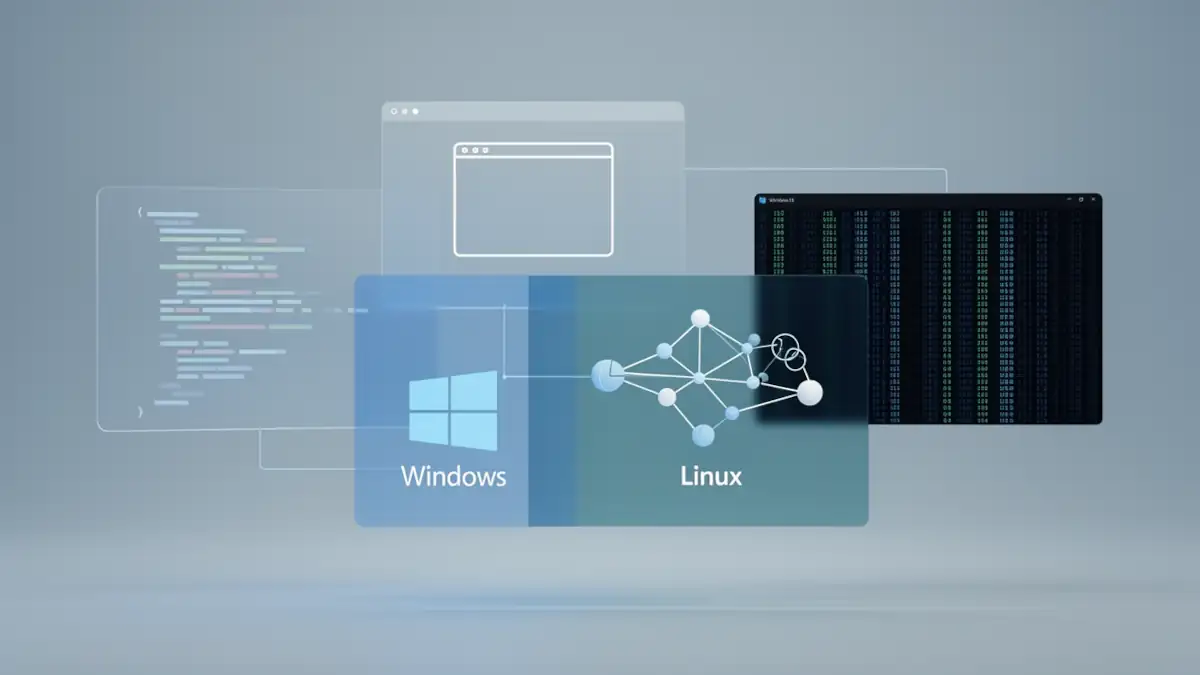
The emergence of Google Antigravity redefines software development standards by introducing the concept of the agentic IDE. Unlike legacy environments, this platform is built for agent-first development, where AI no longer merely assists but orchestrates entire design, test, and debugging cycles.
This shift is a cornerstone of Google’s global AI strategy with Gemini, aiming to transform the developer experience by embedding large language models at the core of the system. For Windows 11 users, the choice of installation architecture, native, WSL2, or hybrid, is critical to maximizing both the autonomy and security of these agents.
1. Native Installation: Optimizing Agent-First Performance
Installing the Windows binary (.exe) is the most direct path to the low-latency responsiveness required for real-time agentic orchestration. As a specialized fork of VS Code, Antigravity is optimized to leverage Windows 11 local resources.
- Browser Agent Integration: A pillar of Antigravity is its ability to pilot the browser for UI validation. In native mode, communication between the IDE and Chrome bypasses network virtualization layers, which appears to limit latency during automated UI testing phases.
- Mission Control Fluidity: Google’s objective involves providing maximum throughput for “Mission Control”, the agent supervision workspace, by utilizing native OS rendering capabilities.
- Direct Toolchain Access: Native installation provides immediate access to Windows-bound terminals and runtimes, simplifying the initial setup for web-focused developers.
2. The Shell Challenge: Abstracting Mixed Environments
A recurring concern for developers involves the ability of a Windows-based IDE to handle workflows historically rooted in Unix. For those accustomed to terminal-centric tools like Gemini CLI or Claude Code, the absence of a native Linux kernel might seem like a bottleneck.
However, Google’s approach with Antigravity focuses on abstracting these constraints. The agent’s intelligence, powered by breakthroughs such as context packing vs. RAG in Gemini 3, allows it to interpret commands and adapt to the host environment dynamically. By leveraging compatible shell environments already present on the system, the IDE maintains a seamless developer experience regardless of the underlying OS.
3. The WSL2 Alternative: A 100% Linux Stack
For projects requiring total parity with Linux production environments, installing within WSL2 (Windows Subsystem for Linux) remains a robust option.
- System Consistency: Ideal for projects relying on native Linux libraries or complex Docker multi-container setups.
- Performance with EXT4: Running Antigravity within WSL2 allows the agent to interact directly with the EXT4 file system. This is a major technical advantage, as EXT4 handles the high-frequency I/O operations required for indexing large codebases much faster than the NTFS-to-WSL bridge.
- The networkingMode=mirrored Solution: To resolve visibility issues between the Linux agent and the Windows browser, it is highly recommended to enable mirrored networking. According to official WSL networking documentation, this allows the systems to share the same network interface, simplifying localhost access.
For a deeper understanding of the security implications of networkingMode=mirrored, see our technical analysis: Securing WSL mirrored networking: a technical deep dive into architecture and exposure.
Important : OAuth flows and authentication mechanisms are highly sensitive to clock drift, a common occurrence in Windows + WSL2 mixed environments. Ensure your Linux distribution’s time is perfectly synced with the host.
4. Security in Agent-Driven Development: Should You Isolate the AI?
In an agent-driven development model, the AI agent possesses significant autonomy over the terminal. This introduces a major security consideration for your primary workstation.
While native installation offers peak performance for browser-based tasks, it theoretically exposes your personal file system to erroneous or “hallucinated” shell commands. This is where the hybrid approach (Remote-WSL) becomes the professional standard:
- Install Antigravity natively on Windows for UI fluidity and browser control.
- Connect to a WSL2 instance for all code execution via the “Remote-WSL” extension.
The agent performs its operations (compiling, running shell scripts, installing dependencies) within a Linux “sandbox”. If the agent executes a destructive command by mistake, it remains confined to the virtual environment, preserving the integrity of your Windows 11 host.
5. Comparative Analysis of Installation Modes
| Criterion | Native Installation | WSL2 (Direct) | Hybrid (Remote-WSL) |
|---|---|---|---|
| Simplicity | ⭐⭐⭐ | ⭐ | ⭐⭐ |
| Browser Integration | Excellent | Complex (IP bridging) | Very Good |
| Linux Stack & EXT4 | Emulated / Limited | Native | Native |
| Network Complexity | Low | High | Medium |
| Recommended Use Case | Web Dev / Frontend | Backend / DevOps | Full-stack / Agentic Dev |
6. How to Set Up the Hybrid Installation (Native + Remote-WSL)
Step 1: Prepare the Linux Environment
- Open your WSL terminal (e.g., Ubuntu).
- Update your system:
sudo apt update && sudo apt upgrade -y. - Install essential build dependencies:
sudo apt install build-essential git python3-pip nodejs npm -y.
Step 2: Enable Mirrored Networking
- In Windows, navigate to your user folder (*C:UsersYourName*).
- Create or edit the .wslconfig file.
- Add the following lines:
[wsl2]
networkingMode=mirrored- Restart WSL by running wsl –shutdown in PowerShell, then relaunch your distro.
Step 3: Link Antigravity to WSL2
- Launch Google Antigravity on Windows.
- Open the Command Palette (Ctrl+Shift+P) and search for “Connect to WSL”.
- Select your distribution. Antigravity will install a lightweight server inside WSL to delegate agentic tasks.
Step 4: Validate the Sandboxing
To confirm that your hybrid setup is correctly isolating the agentic operations:
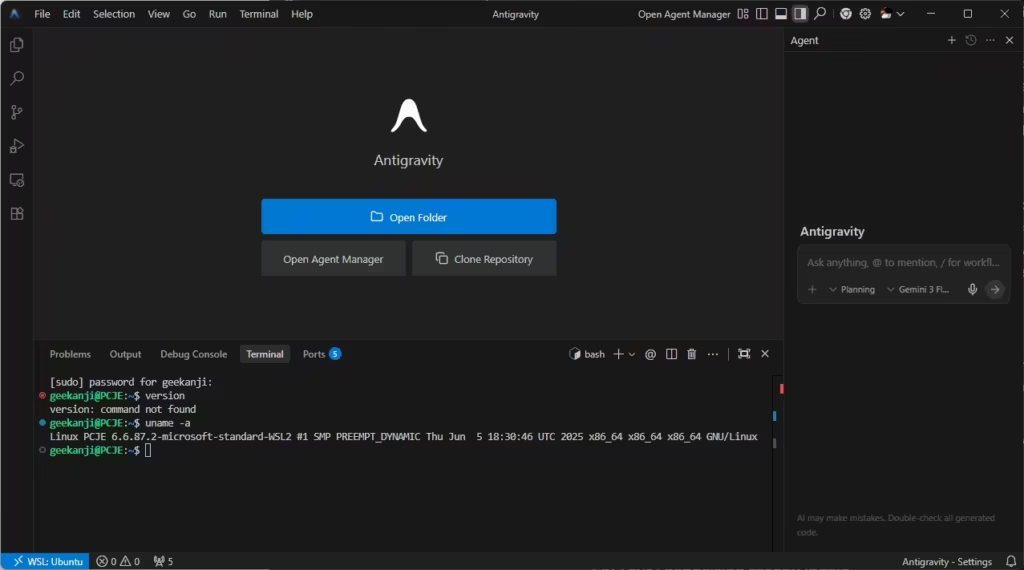
- Open the integrated terminal in Antigravity.
- Run uname -a. If the output confirms “Linux”, the agent is successfully executing commands in the isolated environment.
- From this point on, any project opened via the wsl$Ubuntu… path will be managed by the AI within the Linux container (WSL), shielding your Windows 11 system files from direct modification.
Strategic Installation Dashboard
| Action | Location | Technical Rationale |
|---|---|---|
| Interface & Browser Agent | Windows 11 (Native) | Maximum UI fluidity and stable Chrome orchestration. |
| Execution & Compilation | WSL2 (Linux) | Sandboxed security against destructive agentic commands. |
| File Storage | EXT4 System (WSL) | Optimized I/O performance for high-speed agentic code indexing. |
Strategic Analysis: The Trajectory of Agentic IDEs
Official Status in 2026
According to the official Antigravity documentation, the platform is architected for asynchronous task orchestration. As detailed in the Antigravity Codelab, Google emphasizes the use of “Artifacts” (structured logs, screenshots, and recordings). These tools are critical for developers to audit and validate agentic decisions without manual code review of every iteration.
Outlook: The IDE as an Orchestration Layer
As Google continues its AI-first infrastructure push, Antigravity is expected to transform the IDE from a text editor into a sophisticated orchestration layer. This evolution mirrors the broader Google Gemini vs. OpenAI strategic dominance, where software integration creates a structural lead.
Eventually, the underlying OS may become a mere resource provider for agnostic agents. In this future, the choice between Windows and Linux becomes purely aesthetic, as agents manage ephemeral development containers automatically.
Official Sources and Resources
- Google Antigravity Documentation
- Antigravity Codelab: Getting Started
- Microsoft Learn: WSL Networking Configuration
- Google Developers Blog: Agentic Development Platform
Your comments enrich our articles, so don’t hesitate to share your thoughts! Sharing on social media helps us a lot. Thank you for your support!