Gemini and Google Drive: Bringing Predictive Analytics to Your Documents
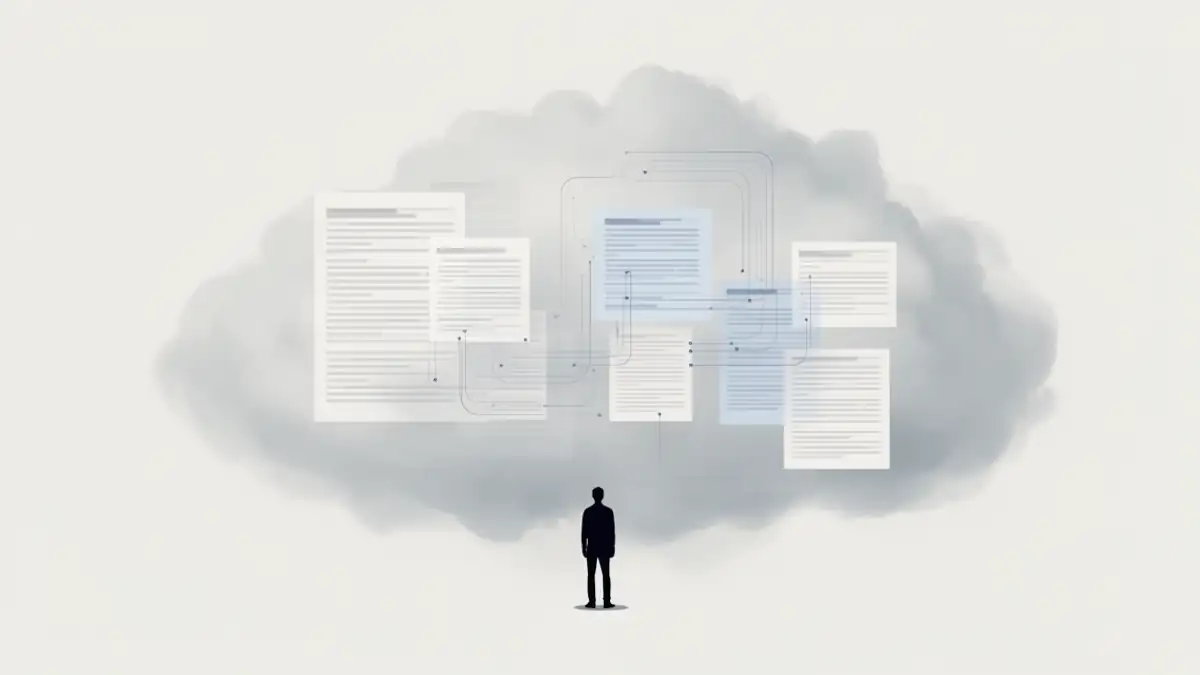
One of the greatest challenges in corporate predictive analytics is the accessibility of data scattered across dozens of folders. In 2026, the Gemini extension for Google Workspace transforms your cloud storage into a dynamic scenario modeling engine. By connecting Gemini to your Drive, you implement a native form of RAG (Retrieval-Augmented Generation) that allows you to query your proprietary documents using natural language.
This integration is part of a broader trend where Google is positioned to build a structural dominance through its ultra-connected ecosystem.
This approach falls under exploratory, scenario-based predictive analysis, rather than validated predictive models in the strict data science sense.
Simplified RAG: How Gemini “Reads” Your Drive
Unlike a traditional search, Gemini doesn’t just identify keywords; it analyzes the semantics of your files (Docs, Sheets, PDFs). When a query is made, the AI retrieves relevant segments from your reports to build predictive reasoning based on your specific business realities.
For massive data volumes, Google now utilizes cutting-edge technologies like Context Packing to solve AI amnesia, allowing Gemini to maintain improved coherence even when scanning entire folders of historical documents.
Practical Examples: From Idle Data to Actionable Scenarios
Here are three concrete situations where using Gemini with Drive accelerates decision-making:
1. Performance Synthesis and Annual Projection
Instead of opening every monthly report, you can ask Gemini:
“Analyze the sales reports in the ‘Southwest 2025’ folder on Drive. Identify the three products with consistent growth and project an order of magnitude for 2026 revenue if the trend continues.”
2. Identifying Weak Signals (Customer Success)
By cross-referencing meeting minutes (Docs) and satisfaction trackers (Sheets), the AI can identify risks:
“Consulting the client meeting notes from last month, list the customers who expressed dissatisfaction regarding our lead times. Establish a scenario for churn risk for the next quarter.”
3. Competitive and Strategic Analysis
If you store your industry watch reports on Drive, Gemini becomes a foresight assistant:
“Compare our latest strategic plan with the market reports stored in the ‘Industry Watch 2026’ folder. What growth opportunities have we not yet exploited according to these documents?”
Security, Privacy, and Data Governance
For decision-makers, the question of confidentiality is paramount. It is crucial to distinguish the different levels of protection based on your account type:
- Google Workspace Accounts (Business & Enterprise): This is the maximum security level. Your Drive data remains strictly private. Google contractually guarantees that your files and interactions with Gemini are never used to train its global language models. This is the only option ensuring total sovereignty over your proprietary information.
- Personal Accounts with Subscription (Google One AI Premium): While your data is protected from third-party access, Google may use document excerpts consulted via Gemini to improve its algorithms. Also, note that Gemini now adds a digital watermark via SynthID to certain content to ensure traceability.
- Free Personal Accounts: At this level, privacy guarantees regarding model training are minimal. It is strongly discouraged to import strategic documents here.
Technical Limitations and Strategic Safeguards
Despite its power, using Gemini as your Drive interface is not without constraints. There are still technical limitations to Personal Intelligence that can hinder high-precision predictive analysis.
- The Challenge of Temporal Reasoning: Gemini can sometimes struggle to chronologically order data from heterogeneous files if dates are not explicitly formatted.
- Attribution Errors: In folders containing hundreds of files, the AI may occasionally attribute a trend to the wrong source. Human verification remains essential to validate every scenario.
- File Structuring: Gemini performs best with clear text documents or well-indexed spreadsheets. PDFs containing complex graphics without alternative text (OCR) remain difficult to interpret for a reliable projection.
FAQ: Gemini and Document Analysis on Drive
Can Gemini analyze large files on Drive?
Yes, thanks to its hybrid architecture, it can process massive contexts. However, for complex scenario modeling, it is better to group key documents in a dedicated folder to limit informational “noise.”
Is it more accurate than a traditional statistical model?
No. Gemini excels in contextual synthesis and identifying qualitative trends. For high-precision calculations (ARIMA models or complex regressions), it is still preferable to pair Gemini with Python script execution on your source files.
Can I automate these analyses?
By saving your expert prompts for predictive analysis, you can create interrogation routines for your Drive folders, allowing for monthly monitoring of your performance indicators.
Conclusion: A Living Library of Documents
Integrating Gemini with Google Drive marks the end of static data. Your Drive no longer serves just for archiving, but for simulating possible futures. By transforming your documents into an active knowledge base, you reduce uncertainty and accelerate your probabilistic scenario modeling.
However, always keep in mind the reliability limits of AI: an analysis on Drive will never be more relevant than the quality and freshness of the documents you have placed there.
Your comments enrich our articles, so don’t hesitate to share your thoughts! Sharing on social media helps us a lot. Thank you for your support!