Speedrunning speech synthesis: dockerized faster-qwen3-tts deployment on Blackwell architecture
The open-source speech synthesis landscape changed significantly with the release of the Qwen3-TTS family. However, running these highly expressive models through stock inference engines often feels like putting a governor on a hypercar. Standard execution loops introduce significant CPU-GPU overhead, resulting in severe processing bottlenecks.
By restructuring the execution model using static memory allocation and hardware-level execution graphs, Andi Marafioti’s faster-qwen3-tts project unlocks the true potential of this architecture. On a development stack powered by an NVIDIA RTX 50-series GPU under Windows 11 via WSL2, the performance delta is staggering: a generation task that grinds through the official Qwen3-TTS repository for 80 seconds is completely pulverized in just 5.75 seconds using faster-qwen3-tts. During this intense burst, telemetry shows a highly efficient GPU utilization rate hovering between 70% and 80%.
Achieving this 14x speedup on cutting-edge Blackwell silicon requires a meticulous approach to environment isolation. This guide provides the complete blueprint for deploying a robust, Docker-packaged microservice architecture optimized specifically for the RTX 5000 generation, leveraging a pre-built image to bypass local compilation headaches entirely.
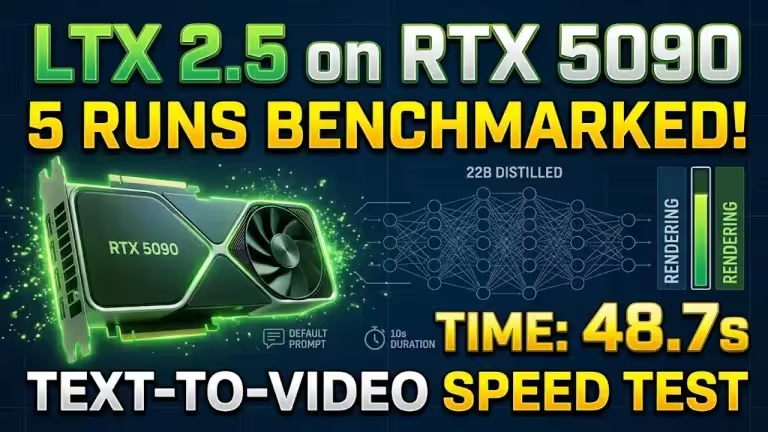
Benchmark: 80s (Stock Qwen Repository) vs 5.75s (Faster-Qwen3-TTS) on RTX 5090.
Infrastructure prerequisites and Blackwell compatibility
Deploying high-throughput deep learning engines on Windows 11 requires a native WSL2 environment combined with Docker Desktop or a standalone Docker engine running inside the distribution. This setup ensures direct hardware passthrough via the NVIDIA Container Toolkit, delivering near-native Linux performance.
However, standard pre-built machine learning containers will fail immediately on an RTX 50-series setup due to two distinct software engineering friction points:
- CUDA Graph Stream Capture Restrictions: The performance of faster-qwen3-tts relies on capturing execution paths directly into hardware using CUDAGraph. On PyTorch versions equal to or older than 2.5.0, this operation triggers a fatal runtime violation (operation not permitted when stream is capturing). Absolute stability requires PyTorch 2.7.0 or newer.
- Blackwell Architecture Support: The RTX 5000 series operates on the Blackwell architecture (Compute Capability 10.0). Standard stable PyTorch wheels do not ship with the required binary configurations. To prevent the environment from falling back to slow compilation loops or crashing during tensor initialization, you must use a dedicated CUDA 12.8 PyTorch build.
Quickstart: Zero-Build Deployment (Recommended)
To bypass the tedious process of compiling heavy deep learning dependencies locally under WSL2, a pre-configured image has been published to Docker Hub. This image encapsulates the complete Blackwell runtime environment, including PyTorch 2.7+, CUDA 12.8, the missing nano-parakeet linguistics library, and system-level sox audio codecs to guarantee high-fidelity audio resampling during voice cloning.
Because Blackwell cards feature massive VRAM buffers, running a single inference instance underutilizes the hardware. The most efficient deployment pattern sets up a dual-service architecture using a docker-compose.yml file: an internal OpenAI-compatible API endpoint running alongside a web-based Gradio interface for fast prototyping.
To streamline the installation process, I have built and published a production-ready container image directly to Docker Hub: geekanjidock/faster-qwen3-tts.
This official image encapsulates the complete Blackwell runtime environment—pre-configured with PyTorch 2.7+, CUDA 12.8, the missing nano-parakeet linguistics library, and system-level sox audio codecs. Pulling this pre-built image allows you to bypass the long, resource-intensive local compilation steps and deploy the entire stack on your RTX 50-series hardware in less than a minute.
1. Provision local configurations
Before spinning up the stack, create a directory and configuration file to store your customized speaker definitions:
mkdir -p config
cat <<EOF > config/voicedesign_voices.json
{
  "default_speaker": {
    "instruct": "A regular, clear male voice speaking at a natural pace.",
    "language": "English"
  }
}
EOF
2. The Production Compose Blueprint
Create a docker-compose.yml file in your project directory and paste the following configuration:
services:
  # Microservice instance exposing an OpenAI-compliant /v1/audio/speech endpoint
  qwen3-tts-api:
    image: geekanjidock/faster-qwen3-tts:blackwell
    container_name: qwen3-tts-api
    ports:
      - "8021:8021"
    volumes:
      - hf_models_cache:/root/.cache/huggingface
      - ./config:/app/config
    shm_size: '16gb' # Generous shared memory allocation prevents WSL2 tensor thrashing
    deploy:
      resources:
        reservations:
          devices:
            - driver: nvidia
              count: all
              capabilities: [gpu]
    command: python examples/openai_server.py --voices /app/config/voicedesign_voices.json --port 8021
    restart: unless-stopped

  # Interactive WebUI instance for experimentation and manual voice design
  qwen3-tts-demo:
    image: geekanjidock/faster-qwen3-tts:blackwell
    container_name: qwen3-tts-demo
    ports:
      - "7860:7860"
    volumes:
      - hf_models_cache:/root/.cache/huggingface
    shm_size: '16gb'
    deploy:
      resources:
        reservations:
          devices:
            - driver: nvidia
              count: all
              capabilities: [gpu]
    command: python demo/server.py
    restart: unless-stopped

volumes:
  hf_models_cache:
    name: qwen3_hf_models_cache
3. Launching and Interfacing with the Services
Fire up the dual-service engine with a single command:
docker compose up -dOnce the initialization logs stabilize, your ecosystem is fully operational across two separated endpoints:
- The WebUI Sandbox: Open your browser and navigate to http://localhost:7860. This interface allows you to manually experiment with the VoiceDesign and VoiceClone features through a clean graphical wrapper.
- The Production API: The endpoint is silently listening at http://localhost:8021/v1/audio/speech, ready to be plugged into automated video generation pipelines or tools like Open WebUI.
Alternative: One-Liner CLI Sandbox
If you want to quickly audit the container’s capabilities or run a temporary test without deploying the full multi-service Compose stack, you can initiate a standalone instance of the Gradio WebUI using a single Docker command:
docker run -d --gpus all
  -p 7860:7860
  -v qwen3_hf_models_cache:/root/.cache/huggingface
  --shm-size=16gb
  --name qwen3-inline-demo
  geekanjidock/faster-qwen3-tts:blackwell
  python demo/server.py
This command maps your local Hugging Face model cache to prevent redundant weights downloads, allocates the necessary shared memory to avoid tensor thrashing under WSL2, and exposes the interactive interface directly onto
Manual Compilation: Advanced Dockerfile Customization
If you prefer to audit the compilation process or inject custom modifications directly into the image layer, you can rebuild the container from scratch using the following specialized Dockerfile:
FROM nvidia/cuda:12.8.0-devel-ubuntu22.04

WORKDIR /app
ENV DEBIAN_FRONTEND=noninteractive

# Install essential system utilities, compilers, and high-fidelity audio codecs
RUN apt-get update && apt-get install -y
    python3.10 python3-pip python3.10-dev git ffmpeg build-essential
    sox libsox-fmt-all
    && rm -rf /var/lib/apt/lists/*

RUN ln -s /usr/bin/python3.10 /usr/bin/python

# Blackwell Alignment: Force PyTorch 2.7+ compiled specifically for CUDA 12.8
RUN pip install --no-cache-dir
    --index-url https://download.pytorch.org/whl/cu128
    "torch>=2.7.0"
    "torchaudio>=2.7.0"

# Inject necessary text processing and linguistic dependencies
RUN pip install --no-cache-dir nano-parakeet

# Map the local cloned repository architecture into the container image
COPY . .

# Modernize build toolchain and perform standard project installation
RUN pip install --no-cache-dir -U pip setuptools wheel &&
    pip install --no-cache-dir ".[demo]"

EXPOSE 8021 7860
To build this local configuration, substitute the image: tags in your docker-compose.yml with a build: . context directive and run docker compose up -d –build.
Managing Runtime Behaviors and Cold Starts
Once the logs signal that the engine is actively listening, you are ready to interface with your deployment. However, it is essential to understand the behavior of optimized models during their initial call.
The cold start phase
When you submit your very first audio generation request, the server will appear to lock up or freeze for roughly 30 to 45 seconds. This is completely normal behavior.
During this first run, PyTorch analyzes input shapes, constructs the internal Static KV Cache, and takes a static hardware snapshot of the compute operations via CUDAGraph. Once this snapshot is locked onto your hardware, the compile penalty is paid. Every subsequent request executes instantly, maintaining your sub-6-second generation speed.
To prevent production applications from experiencing this latency penalty, always execute a hidden “warm-up” request immediately after boot:
curl http://localhost:8021/v1/audio/speech
  -H "Content-Type: application/json"
  -d '{
    "model": "Qwen/Qwen3-TTS-12Hz-1.7B-CustomVoice",
    "input": "Warmup sequence initiated.",
    "voice": "default_speaker"
  }'
  --output warmup.wav
Breaking Past the 80% Utilization Limit
When running generation pipelines on an ultra-high-end card like the RTX 5090, hardware telemetry tools like nvidia-smi will reveal that your GPU utilization hovers between 70% and 80%. This indicates that the raw compute capacity of the Blackwell silicon is actually outperforming your system’s data delivery speed; the GPU is processing tensors faster than the single-threaded script can supply them.
To optimize performance further with minimal code adjustments, leverage these two engineering tactics:
Asynchronous request concurrent batching
The core engine executes tasks sequentially. Because the 1.7B parameter model takes up less than 8 GB of VRAM in bfloat16, a modern card has plenty of headroom. By implementing an asynchronous queuing routine on your application side to hit the /v1/audio/speech endpoint with 3 to 4 concurrent streams, you can saturate the remaining execution units on the card, pushing utilization to a true 100% and multiplying your net audio production throughput.
Scaling context windows
The default sequence length constraints are highly conservative. In your docker-compose.yml configuration, adjust your service launch parameters to include the –max-seq-len flag:
command: python examples/openai_server.py --voices /app/config/voicedesign_voices.json --port 8021 --max-seq-len 4096Expanding the token ceiling forces the engine to allocate larger static tensor buffers during the graph capture phase. This allows you to generate long, unbroken narrative sequences in a single pass without relying on messy text-splitting logic, feeding more data to your GPU per cycle and maximizing overall processing efficiency.
Your comments enrich our articles, so don’t hesitate to share your thoughts! Sharing on social media helps us a lot. Thank you for your support!